
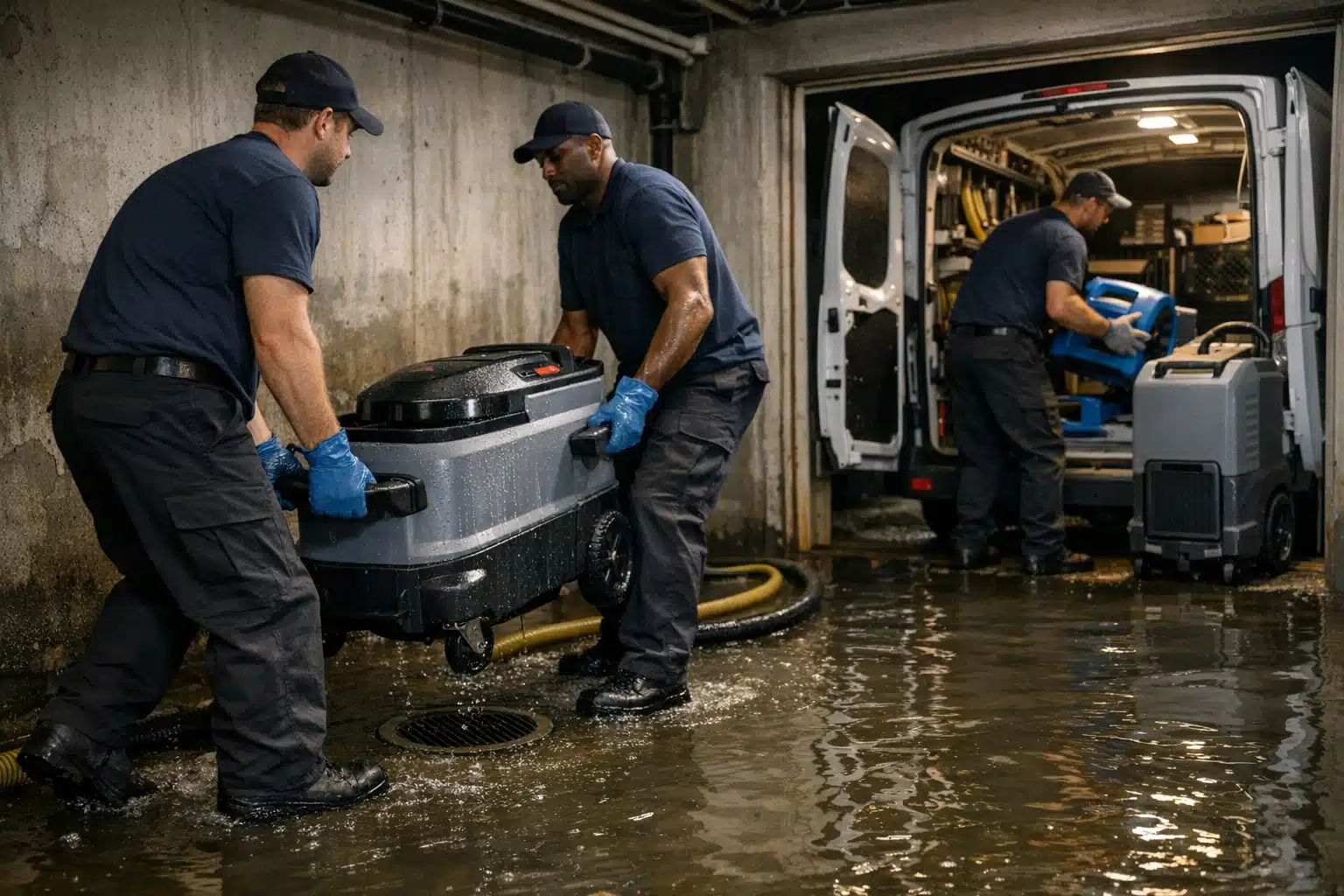
A homeowner with three inches of water in their basement makes a call in under 90 seconds. The first thing they check before dialing? Your restoration website photos. Wrong images push panicked people to your competitor down the street.
Most restoration sites lean on stock photos of smiling models in clean khakis. Flood victims see right past that. They want proof you have handled a mess like theirs before.
This post breaks down which images earn calls and which ones cost you jobs. You get a photo do/don’t list built for water, fire, and mold work.
Why Restoration Website Photos Decide the Call
Restoration buyers are not shopping. They are scared, wet, and in a hurry. Photos are the fastest trust signal a stressed person can read.
A homeowner cannot judge your IICRC certification at a glance. They can judge whether your crew looks real and prepared. Images do the persuading before a single word gets read.
General home services marketing sells aspiration. Restoration marketing sells relief. That difference should shape every photo on your site.
The 5-Second Trust Test
Open your homepage and count to five. Ask yourself one question about the hero image.
Does it show a real person solving a real emergency? If the answer is a polished model holding a clipboard, you are losing calls you never see.
Best Images for Water Damage Restoration Website Conversions
The best images for water damage restoration website pages prove three things at once: you are real, you are equipped, and you are safe to let inside a home. Below are the photo types that pull their weight.
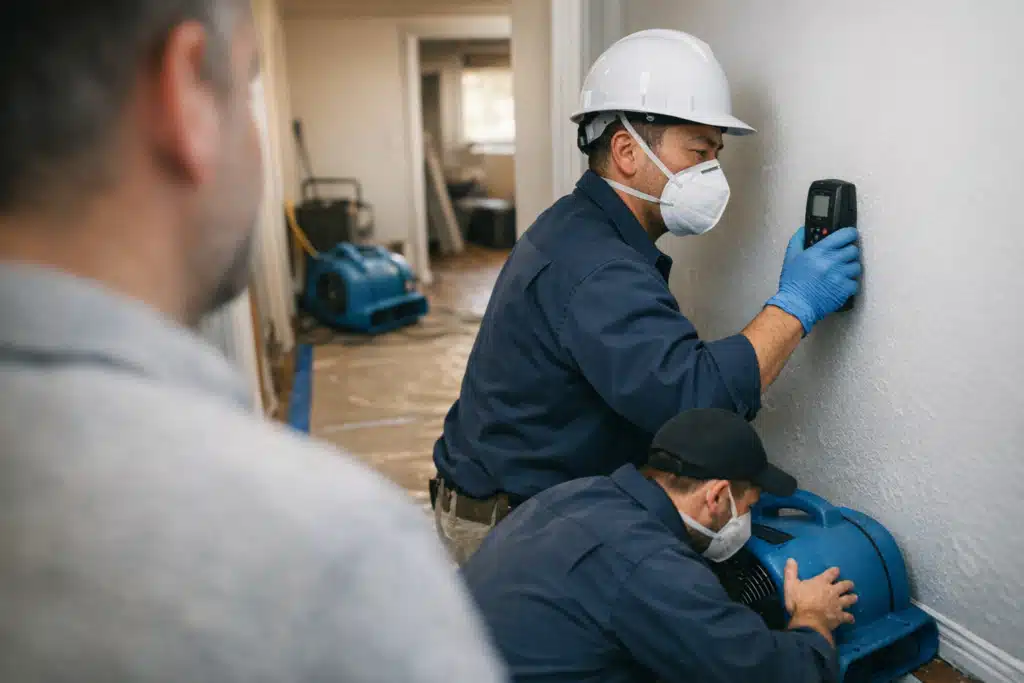
Real Crews, Not Stock Models
Photograph your actual technicians on actual jobs. Name them in captions when they agree to it.
A homeowner comparing two companies will pick the one where a face matches the truck. Stock photos signal that you have nothing real to show.
- Shoot your crew unloading equipment from a branded van
- Capture a tech reading a moisture meter against drywall
- Show two people carrying a fan up basement stairs
PPE and Containment Proof
Mold and sewage jobs scare homeowners about health. Photos of proper PPE answer that fear before they ask.
Show respirators, gloves, and zippered containment barriers on real jobsites. Containment photos separate trained restorers from a guy with a shop vac.
Equipment That Signals Capacity
A row of air movers and a truck-mounted extractor tells a story. It says you can handle a whole flooded floor, not one wet closet.
Insurance adjusters and homeowners both read equipment as capability. Photograph your dehumidifiers, HEPA scrubbers, and thermal cameras in use.
Before and After, Handled With Care
Before and after shots work when the “after” looks livable, not staged. Match the camera angle in both frames.
Avoid graphic damage that turns a scared homeowner’s stomach. Show the water line, then show the dry, restored room.
The Photos That Quietly Kill Conversions
Some images look fine to you and repel the buyer. They leak amateurism or trigger anxiety at the wrong moment.
Graphic Damage That Overwhelms
A close-up of black mold across a ceiling belongs in a case file, not a hero banner. Extreme damage photos raise fear without offering relief.
Pair any damage shot with a recovery shot in the same view. Never end a photo sequence on the mess.
Unrelated Construction Imagery
Framing, roofing, and new-build shots confuse your positioning. A flood victim wants a restorer, not a general contractor.
Photos of hard hats on a lumber frame say “remodel,” not “emergency drying.” Keep your gallery focused on mitigation work.
Empty Trucks and Idle Equipment
A parked van with no crew looks like a listing, not a company. Equipment shots need hands and motion to read as real.
Static gear photos feel like a rental catalog. Show the tool doing its job inside a home.
Privacy Violations That Backfire
Never show a homeowner’s face, house number, or personal belongings without written consent. A recognizable family photo on a wall can create a legal headache.
Frame tight on the work zone and crop out identifying details. Privacy-safe jobsite shots protect your reputation and your clients.
How to Build a Restoration Photo Library That Converts
You do not need a photographer on every job. You need a repeatable habit that captures usable shots during real work.
- Assign one crew lead per shift to take five photos. Van arrival, PPE, equipment setup, mid-job, and dry result.
- Get a signed photo release at job start. Add one line to your work authorization form.
- Shoot horizontal for web headers. Vertical phone shots waste space on desktop pages.
- Crop out addresses, faces, and mail before uploading. Two minutes saves a privacy complaint.
- Tag photos by loss type. Water, fire, mold, and storm folders make page building fast.
Storm season is when this library pays off. When leads spike after a regional flood, your site already shows flood-specific proof.
Match Photos to the Emergency Being Searched
A homeowner searching “burst pipe cleanup” should land on a page with pipe and extraction photos. Generic imagery on a specific landing page drops your conversion rate.
Build separate galleries for each loss type you serve. The closer the photo matches the search, the more calls you get.
Photos and Your Reputation After a Bad Review
A negative review dents trust that photos can help rebuild. Real crew images counter the “fly-by-night” fear a bad review plants.
When a homeowner reads one complaint, then sees ten photos of named technicians in PPE, doubt fades. Visual proof of consistency outweighs one voice.
Pair review responses with a link to your project gallery. Show the standard you hold on every job.
Quick Do and Don’t Reference
- Do show real named technicians on real jobs
- Do show PPE, containment, and safety practices
- Do show equipment actively drying or extracting
- Do pair damage shots with restored results
- Don’t use stock models in clean uniforms
- Don’t end a sequence on graphic damage
- Don’t post unrelated construction work
- Don’t show faces, addresses, or belongings without consent
Final Takeaways
Restoration website photos work when they prove your crew is real, equipped, and safe to invite inside a home. Stock models and graphic damage shots quietly cost you the calls that keep your schedule full.
Build a loss-specific photo library, protect client privacy, and match every image to the emergency your visitor is facing. Your website should look like the company that shows up ready.
The Restoration Marketers helps disaster restoration companies turn photos, pages, and local SEO into steady lead flow. Call or text us at 720‑885‑0749 to make your site convert more of the traffic it already gets, or visit https://restorationmarketers.com.
Sources
- Nielsen – Global Trust in Advertising Report
- OSHA – Mold Hazards and PPE Guidance
- IICRC – S500 Water Damage Restoration Standard