
Most restoration companies build a city page for every town within an hour’s drive, then wonder why none of them rank. Empty pages with swapped city names do not win water damage calls. They can drag your whole site down instead.
This post breaks down how many restoration service area pages you need, when they start hurting your rankings, and what separates a page that ranks from thin filler. You get a decision framework built around response radius, competition, and crew capacity.
By the end, you will know which pages to build first, which to skip, and how to make each one earn emergency calls.
What Restoration Service Area Pages Actually Do
Restoration service area pages are individual web pages targeting a specific city or neighborhood you cover. Each one signals to Google that you serve that location for water, fire, mold, or storm damage.
Done right, they capture searches like “water damage restoration Aurora” when your Google Business Profile ranks for your home base only. They fill gaps where your map listing cannot reach.
Done wrong, they become a folder of near-duplicate pages. Google spots the pattern and discounts all of them.
Why Restoration Marketing Differs From General Home Services
A plumber gets steady demand year-round. A restoration company sees demand spike after a freeze, a hailstorm, or a burst-pipe cold snap.
When a storm hits one county, searches surge in specific cities overnight. A well-built page for that city can capture calls your competitors miss during the chaos.
That timing is why page quality matters more here than in most trades. You need pages ready before the storm, not scrambled together after.
The Decision Framework: How Many Pages Do You Need?
Do not start with a number. Start with three questions about your actual operation.

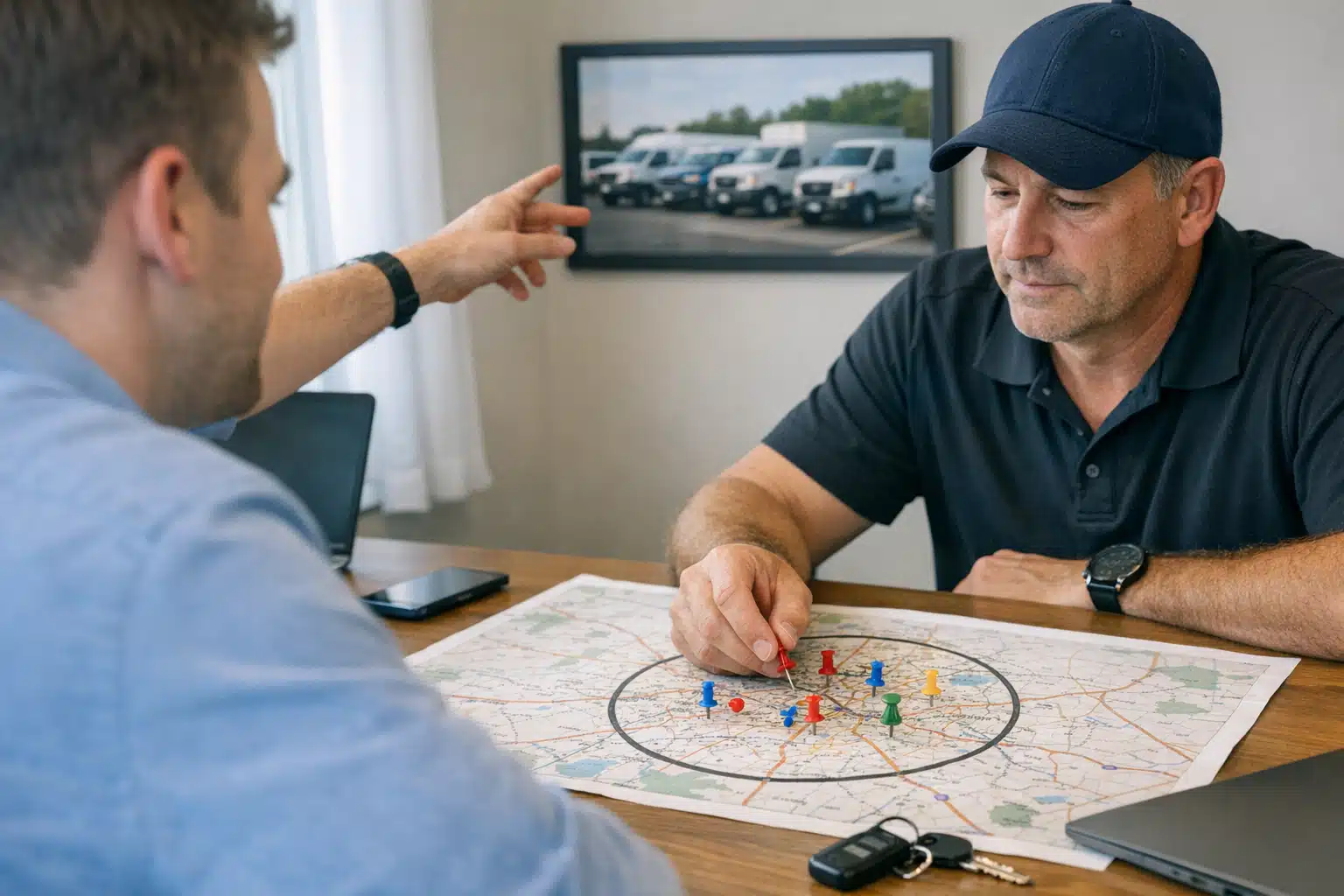
1. What Is Your Real Response Radius?
Map how far a crew will drive for an emergency call at 2 a.m. For most restoration companies, that honest limit sits between 30 and 45 minutes from the shop.
Build pages only for cities inside that radius. A page for a town 90 minutes away brings leads you cannot service fast, and slow response kills restoration jobs.
Rule of thumb: if you would turn down the job, do not build the page.
2. How Much Competition Sits in Each City?
Search “water damage restoration [city]” for each target. Note who ranks and how strong their pages look.
Some cities have three franchise competitors with hundreds of reviews. Others have almost nothing. Prioritize the underserved cities first, since those pages rank faster and cheaper.
- Low competition: Build the page now. Easy wins.
- Medium competition: Build it, but plan for real content and local reviews.
- High competition: Only build if that city drives serious revenue. Expect a longer climb.
3. Does Your Crew Capacity Match Your Reach?
One two-person crew cannot cover fifteen cities during a regional flood. If your pages generate calls you cannot answer, your reviews and reputation take the hit.
Match your page footprint to your staffing. As you add trucks and technicians, add cities. Grow pages at the speed you grow crews.
When Service Area Pages Start Hurting Rankings
Thin, duplicated pages trigger what Google treats as low-value content. Once a pattern of near-identical pages appears, the algorithm can suppress the strong pages along with the weak ones.
Here is when your pages cross from helpful to harmful:
- You copy one page and swap the city name across 20 URLs.
- Every page shares the same 300 words with no local detail.
- You target cities you never actually serve.
- Pages have zero internal links and no reviews tied to that area.
- You publish 40 pages in one week with no supporting content.
Google’s guidance on doorway pages describes this exactly. Mass-produced location pages with little value can drop your visibility site-wide.
Ten strong pages beat fifty thin ones every time.
What Makes a Page “Real” vs. Thin Content
A real page reads like it was written for that city by someone who works there. A thin page reads like a template with a find-and-replace edit.
Signs of a Real Restoration Service Area Page
- Local specifics: Reference the neighborhoods, common home ages, or known flood zones in that city.
- Named scenarios: Mention basement flooding in older homes or ice-dam damage during regional cold snaps.
- Response detail: State your drive time and average arrival window to that area.
- Location reviews: Feature real customer reviews from jobs in or near that city.
- Job photos: Show before-and-after images from work you completed nearby.
- Unique copy: At least 60% of the text differs from your other city pages.
A Concrete Example
Say you serve a Denver metro suburb known for 1970s split-level homes with finished basements. A real page mentions how those basements flood during spring melt and sewer backups.
It names your 25-minute arrival window from your Lakewood shop. It shows a photo of a basement extraction you ran two blocks from that neighborhood’s main road.
No competitor can copy that page, because they did not do that job. Specificity is your defense against both Google and rivals.
Local SEO Service Pages for Restoration: Structure That Ranks
Strong local seo service pages restoration teams build follow a repeatable layout. Each page answers the searcher’s emergency need in the first screen.
Use this structure for every city page:
- H1 with city and service: “Water Damage Restoration in [City]”
- Emergency phone number above the fold, click-to-call on mobile.
- Response time promise for that specific city.
- Local proof: reviews, photos, and a short case story from that area.
- Service breakdown covering water, fire, mold, or storm work.
- Internal links to your main service pages and nearby city pages.
Match one page to one primary service where competition is heavy. In tough markets, a dedicated “mold removal [city]” page outranks a general one.
A Rollout Plan That Protects Your Rankings
Do not launch every page at once. A slow, steady rollout looks like a real business growing, not a spam operation.
- Month one: Build 3–5 pages for your highest-value, lowest-competition cities.
- Month two: Add reviews and job photos to those pages before adding more.
- Month three: Publish the next batch of 3–5 cities.
- Ongoing: Refresh pages after big jobs with new photos and reviews.
Track calls by page. Use a separate tracking number or a form tagged by URL so you know which cities produce leads.
Kill or merge pages that generate zero calls after six months. A dead page is a liability, not an asset.
Common Mistakes Restoration Owners Make
The most frequent error is chasing coverage over conversion. Owners want to “own” 30 cities before they can service ten.
The second mistake is ignoring reviews per location. Google weighs proximity and reputation, and a page with no local reviews rarely cracks the top three.
The third is forgetting seasonal timing. Build storm-related pages before your region’s storm season, not the week after hail hits.
Conclusion
Effective restoration service area pages start with your real response radius, local competition, and crew capacity, not an arbitrary city count. Build fewer pages with genuine local detail, roll them out slowly, and track calls by location to prove each one earns its place.
Want a page plan built around your actual coverage and staffing? Call or text The Restoration Marketers at 720‑885‑0749, or visit https://restorationmarketers.com.
Sources
- Google Search Central – Spam Policies for Google Web Search
- Google Search Central Blog – An Update on Doorway Pages
- Google Business Profile Help – Guidelines for Representing Your Business