

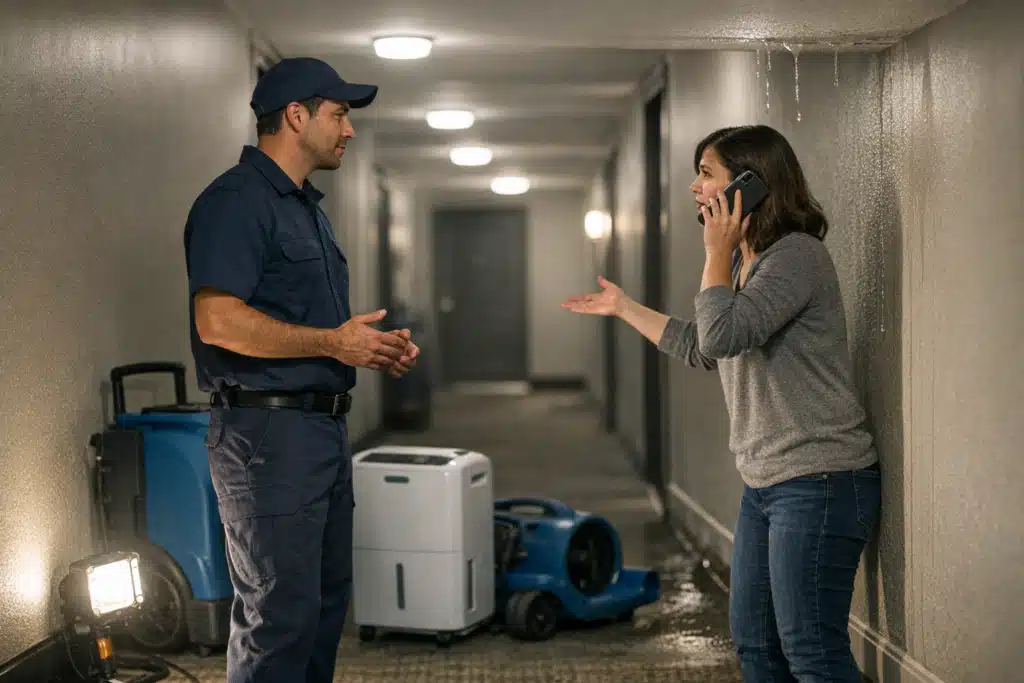
A water damage call comes in at 2 a.m., your crew rolls out, and the apartment tenant says, “You’ll have to talk to my landlord about paying for this.” Dead lead. If you run paid search for a restoration company, you already know the pain of exclude tenant leads google ads restoration campaigns are built to solve. You paid for the click, dispatched the call, and closed nothing.
Tenant-only calls drain ad budgets faster than almost any other mismatch in restoration marketing. The renter wants help, but cannot authorize the job or sign a work order.
Below are the practical knobs you control: ad copy qualifiers, keyword intent filters, and landing page authority checks. Each one pushes spend toward property owners, property managers, and insurance-authorized decision-makers.
Why Apartment Water Damage Leads Waste Restoration Ad Budgets
Apartment water damage leads convert at a fraction of owner-occupied home leads. The tenant feels the emergency but holds none of the authority to approve payment or sign.
Here is how the math breaks down for a mitigation company spending $4,000 a month on search:
- A tenant clicks your “water damage near me” ad at $18 per click.
- Your team spends 20 minutes on the phone qualifying the call.
- The renter cannot authorize work, so the lead stalls waiting on a landlord.
- The landlord already has a preferred vendor, and the job dies.
You paid full price for a lead you could never close. Multiply that by 15 or 20 renters a month and you have real money gone.
Restoration marketing differs from general home services here. A plumber can still earn a tenant’s small repair. A full water mitigation job needs a lease-holder or owner signature.
Step One: Add Authority Qualifiers to Your Ad Copy
Ad copy qualifiers are the fastest filter you control. The right words warn renters before they click and pull in decision-makers instead.
Google Ads charges you per click, not per impression. Every renter you discourage from clicking is budget saved.
Qualifier phrases that pre-screen clicks
Work these into headlines and descriptions across your water damage and fire campaigns:
- “We Work Directly With Property Owners & Managers”
- “Insurance-Approved Restoration for Homeowners”
- “Property Managers: Fast Multi-Unit Response”
- “Owner or Manager Authorization Required”
A renter reading “property owners & managers” often self-selects out. A homeowner or PM reading the same line leans in.
One mitigation client in a college-heavy metro cut unqualified calls by roughly a third after adding owner-focused headlines. Their cost per closed job dropped because fewer dead calls ate crew time.
Use callout and sitelink extensions as filters
Extensions give you free real estate under the main ad. Add a sitelink labeled “For Property Managers” pointing to a dedicated page.
This does two jobs at once. It signals authority to the searcher and segments your traffic by intent before the call.
Step Two: Filter Keyword Intent to Exclude Tenant Leads in Google Ads Restoration Campaigns
Keyword intent filtering means choosing search terms that owners use and blocking terms renters use. The goal is to exclude tenant leads from Google Ads restoration spend at the search-term level.
Renters and owners search differently. Mining your search terms report shows the pattern.
Negative keywords that block renter traffic
Open your search terms report and add renter-signal phrases as negatives:
- “apartment” (unless you target PMs on separate campaigns)
- “my landlord”
- “rental”
- “security deposit”
- “tenant rights”
- “who pays for water damage in apartment”
- “can my landlord”
Searches with “who pays” or “landlord” almost never convert into authorized jobs. They are research queries, not buyer queries.
Review this report weekly during storm season. New renter phrases surface fast after a regional freeze or flood event.
Run a separate property manager campaign
If multi-unit work is a real revenue line, do not block “apartment” everywhere. Build a dedicated campaign around property manager intent instead.
Target terms like “property management water damage vendor” and “multi-unit restoration contractor.” This captures authorized apartment water damage leads without flooding your main campaign with renters.
Keep the two campaigns separate. The messaging, bids, and landing pages differ enough to justify the split.
Step Three: Run a Landing Page Authority Check
A landing page authority check means auditing whether your page speaks to decision-makers or to anyone with a wet carpet. Most restoration pages fail this test.
The typical page shouts “24/7 Emergency Water Removal” and nothing else. That headline pulls everyone, including the renter who cannot hire you.
What a decision-maker page includes
Rework your highest-spend landing page with authority signals:
- A short line near the top: “We coordinate directly with homeowners, property owners, and insurance carriers.”
- An intake form field asking “Are you the property owner, manager, or tenant?”
- Insurance-direct messaging that reassures owners about claims billing.
- A property manager section describing multi-unit response times.
The intake question alone routes renters before your team burns a phone call. Tenants who select “tenant” can get a landlord referral script instead of a full dispatch.
Match the page to the ad group
Send homeowner ads to a homeowner page. Send PM ads to a PM page. A single catch-all page mixes intent and raises your dead-lead rate.
This mirroring improves Quality Score too. Google rewards tight ad-to-page relevance with lower costs per click.
Step Four: Use Call Tracking to Measure Tenant Call Rate
You cannot fix what you do not count. Call tracking tells you exactly how many tenant calls each campaign generates.
Tag your call tracking numbers by campaign and ad group. Then have your intake team mark the caller type on every call.
Track one number weekly: tenant call percentage per campaign. When a campaign sends 40% renters, your filters need work.
Feed the data back into your knobs
Use the tenant-call data to decide where to act:
- High tenant rate on a keyword? Add it as a negative.
- High tenant rate from one ad? Rewrite the copy with an owner qualifier.
- High tenant rate on a page? Add the intake question.
This loop tightens your targeting month over month. Storm-season spikes still bring renter volume, but your floor keeps rising.
Timing Your Filters Around Storm Season
Renter call volume climbs during regional water events. A pipe-freeze week or a flash flood sends every apartment resident searching at once.
Before a forecasted freeze or named storm, tighten your negatives and raise owner-qualifier prominence. You protect budget during the exact window when clicks cost the most.
Seasonal budget is too scarce to spend on calls you cannot close. Front-load your filters before the surge, not after you have already burned spend.
Key Takeaways for Restoration Owners
You hold three knobs that reduce uncloseable tenant calls without a PPC overhaul. Pull all three for compounding effect.
- Ad copy qualifiers pre-screen clicks before you pay for them.
- Keyword intent filters block renter research queries at the source.
- Landing page authority checks route tenants before your team answers.
Together these push your ad dollars toward owners, property managers, and insurance-authorized buyers.
Cutting tenant waste starts with owner-focused ad copy, renter negative keywords, and authority-driven landing pages. The Restoration Marketers builds these filters into every restoration search campaign we manage. Call or text us at 720‑885‑0749, or visit https://restorationmarketers.com to put your ad budget back on jobs you can close.