
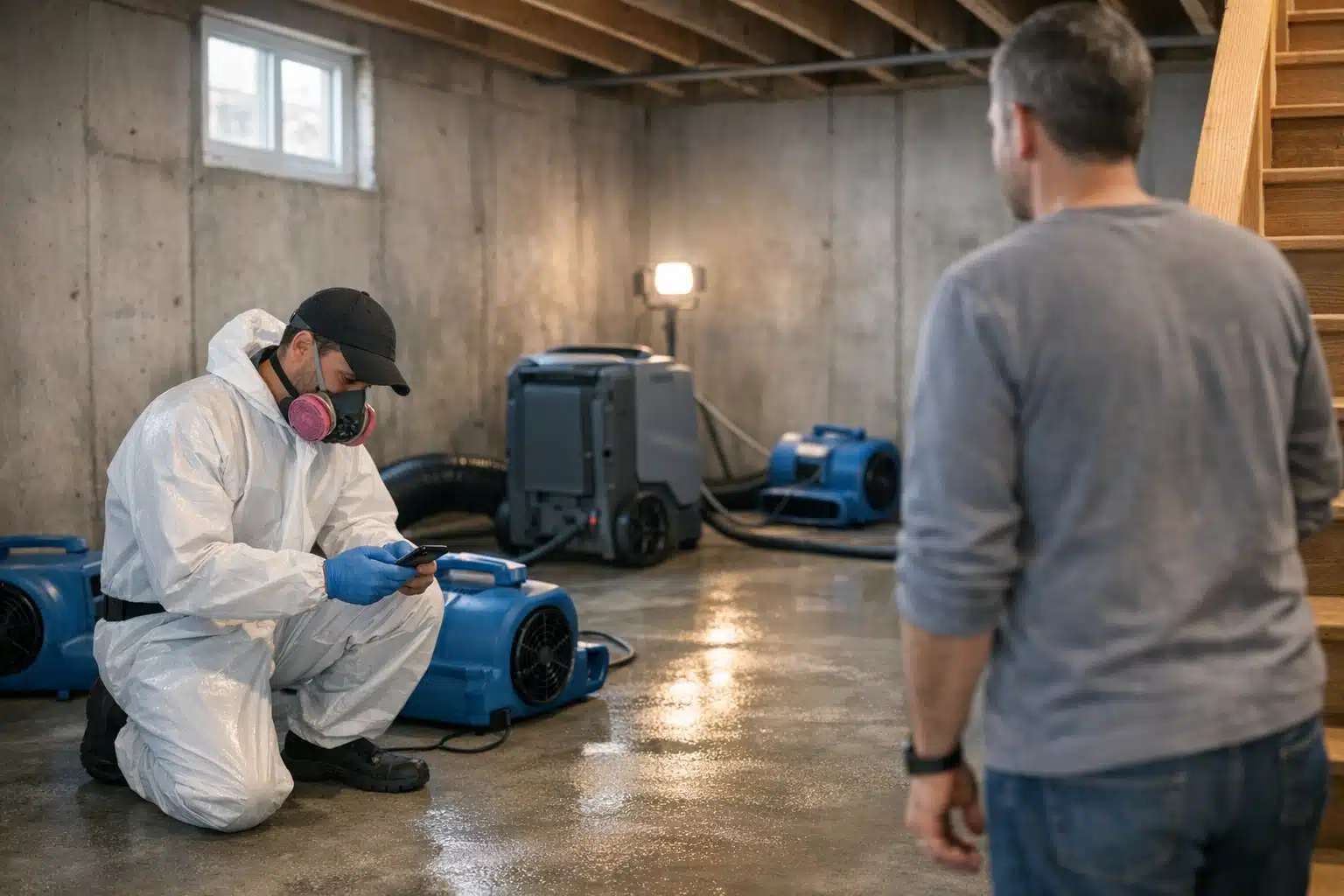
Restoration companies lose reviews at the worst moment: right after a flooded basement gets dried out, when the homeowner is exhausted and your tech is racing to the next call. That gap costs you Google rankings, because review request text messages restoration teams send at the right time convert far better than a generic email sent days later. A milestone-based texting system fixes this without adding paperwork for your crews.
This post walks you step by step through a restoration technician review workflow built on copy-paste SMS templates. Each message is tied to a real job moment: arrival, equipment set, dry-out check, and pack-out.
You will learn what to send, when to send it, and how to keep your techs focused on the work instead of asking for stars at the wrong moment.
Why Timing Beats Volume for Restoration Reviews
A review request that lands during panic gets ignored. A request that lands during relief gets a 5-star response.
Restoration jobs are emotional. The homeowner is stressed about mold, insurance, and cost. Asking for a review while the water is still standing feels tone-deaf.
The right moment is the point of visible progress or completion, not the point of crisis. That single distinction changes your review rate more than any software feature.
How Restoration Differs From General Home Services
A plumber fixes a leak and leaves in an hour. Your crew may be on-site for four days across drying, monitoring, and pack-out.
That longer timeline gives you multiple touchpoints a plumber never gets. Each visit is a chance to build trust and set up a review that feels earned.
Restoration marketing wins by mapping messages to a multi-day timeline, not a single visit.
The Milestone Text System: What to Send and When
A restoration technician review workflow works best when the text is not the tech’s job to write. Pre-load the templates in your CRM or dispatch app so a tech taps once and moves on.

Below are the four milestones and the exact copy to use. Only the final milestone asks for a review.
Milestone 1: On-Scene Arrival
This text reduces anxiety and confirms your crew showed up when promised. Late arrivals are a top complaint in restoration, and a simple heads-up prevents a bad review before work even starts.
“Hi [Name], this is [Tech] with [Company]. I’m on-site now and will assess the water damage first. I’ll walk you through everything before we start. Call or text me here anytime.”
This message alone cuts “no-show” and “poor communication” complaints, which are the reviews that hurt most.
Milestone 2: Equipment Set
After air movers and dehumidifiers are running, send a short update. Homeowners worry about noise, energy use, and how long equipment stays.
“Update from [Company]: your drying equipment is set and running. It’ll stay for roughly 3 days. I’ll check moisture levels each visit. Questions? Text me here.”
This sets expectations and stops the “nobody told me anything” review that plagues restoration firms.
Milestone 3: Dry-Out Check
During moisture monitoring, share a quick win. Progress updates make homeowners feel the money is working.
“Good news from [Company]: moisture readings are dropping on schedule. We’re on track to remove equipment in 1-2 days. I’ll confirm before final pickup.”
Sharing measurable progress is the single most effective way to prime a customer for a 5-star review.
Milestone 4: Pack-Out Complete (The Review Ask)
Only now, after visible completion, do you request the review. The relief of a finished job is your best conversion window.
“We’ve wrapped up at your home, [Name]. Thanks for trusting [Company] during a rough week. If we earned it, a quick Google review helps our small team a lot: [review link]. Takes about 30 seconds.”
Include the direct Google review link so nobody has to search. One tap, one screen, done.
How to Build This Review Request Text Messages Restoration Workflow
Setting this up takes an afternoon, not a software overhaul. Follow these steps in order.
- Create your Google review short link. Pull it from your Google Business Profile, then shorten it so it fits cleanly in a text.
- Load the four templates into your dispatch or CRM app. Tools like Housecall Pro, Jobber, or ServiceTitan support saved message templates.
- Add merge fields for name, tech, and company. The tech taps send, and the system fills the blanks.
- Trigger messages by job status, not by hand. Tie each template to a status change: “arrived,” “equipment set,” “monitoring,” “job complete.”
- Route replies to one number. Use a shared team line so texts back never get lost between techs.
- Track review link clicks weekly. Watch which milestone drives the most reviews and refine the copy.
The goal is one tap per milestone, so your crew spends seconds, not minutes, on communication.
Keeping Techs On Board
Crews resist anything that feels like sales work. Frame the texts as customer updates, not marketing.
Only the pack-out message mentions reviews. The first three build trust, which makes techs comfortable sending them.
Tie a small monthly bonus to review volume per crew. When a review names a tech, that recognition motivates the whole team.
Handling Storm Season and Lead Spikes
During a hail storm or regional flood, your crews run flat out. Volume is exactly when review discipline breaks down.
An automated milestone system keeps reviews flowing even when your team is slammed. The texts fire on status changes whether the day is calm or chaotic.
Storm season is when review volume matters most, because a spike of fresh 5-star reviews lifts your local ranking right when demand peaks.
Recovering After a Negative Review
One angry review from a stressful job can drag your average down fast. A steady drip of milestone-driven reviews dilutes the damage.
If your rating dropped after a rough month, this workflow rebuilds it within weeks. Consistent volume, not one-time pushes, restores trust.
Tracking What Works
Reviews are a marketing asset, and assets get measured. Watch these numbers monthly:
- Review conversion rate: reviews divided by pack-out texts sent.
- Reviews per crew: spot which teams need coaching.
- Reply-to-review time: respond to every review within 48 hours.
- Keyword mentions: track how many reviews mention “water damage” or your city for local SEO value.
Reviews that mention your service and city feed Google’s local ranking signals. That connection is why a restoration technician review workflow doubles as an SEO tool.
Conclusion
Higher review counts come from timing, not nagging: send updates at arrival, equipment set, and dry-out, then ask only after pack-out. This milestone system boosts reviews, cuts communication complaints, and keeps your crews moving fast. Set it up once and it runs through your busiest storm weeks automatically.
Want help building this workflow and turning reviews into higher local rankings? Call or text The Restoration Marketers at 720‑885‑0749 or visit https://restorationmarketers.com.
Sources
- Google Business Profile Help – Get more reviews
- IICRC – Current Standards
- Federal Communications Commission – Rules on Text Message Consent