
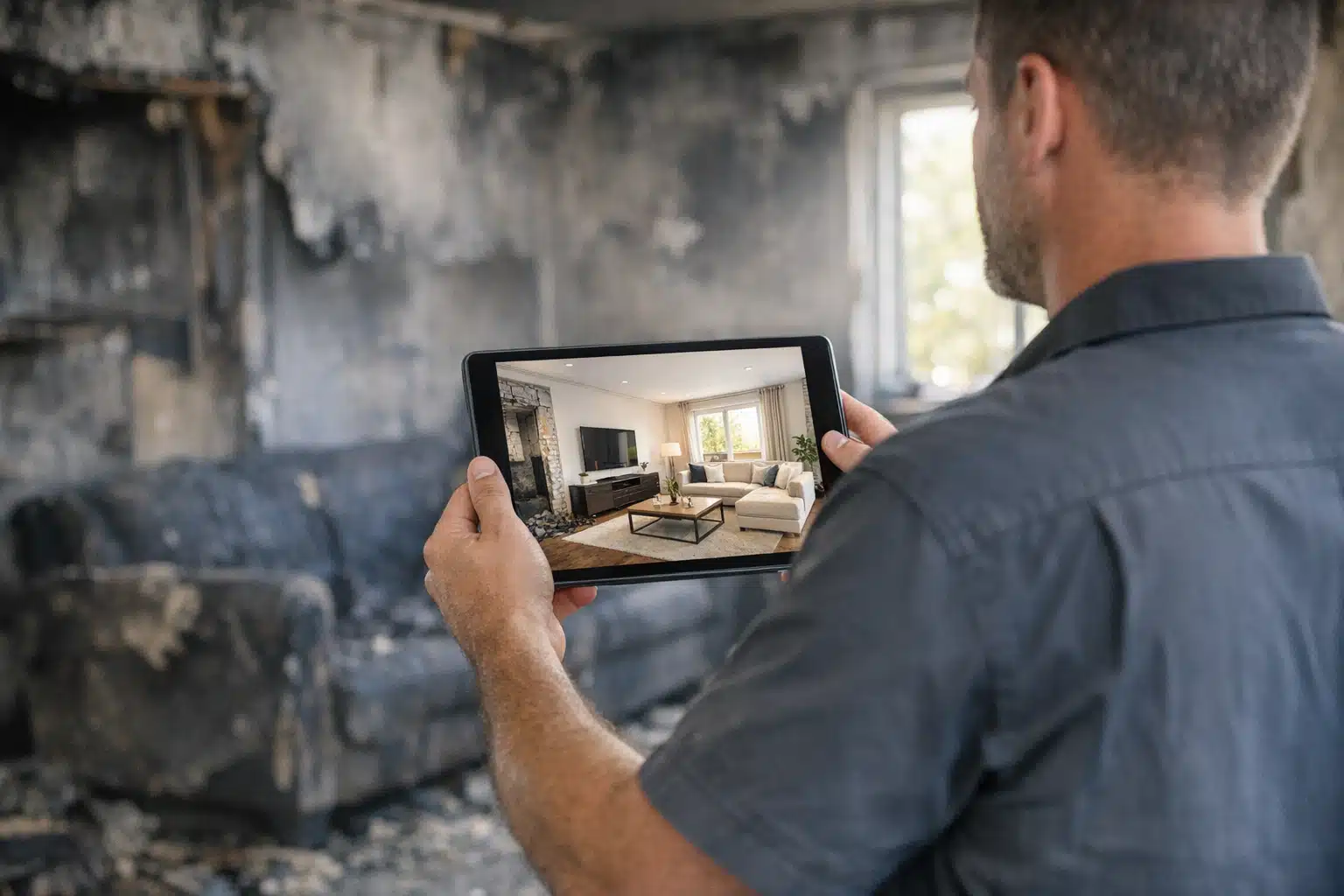
Restoration contractors lose 40% of potential clients during the presentation phase when homeowners can’t visualize the final result. Property owners struggle to understand scope, pricing, and timeline when staring at water-damaged drywall or fire-scorched rooms. Augmented reality changes this dynamic by overlaying digital reconstructions onto damaged spaces, showing clients exactly what their restored property will look like.
This technology transforms how restoration companies present projects to insurance adjusters and homeowners. Instead of relying on verbal descriptions and static photos, contractors can show real-time visualizations of repairs, material choices, and finished results.
Why Traditional Restoration Presentations Fail
Most restoration contractors present projects using clipboards, printed estimates, and verbal explanations. Property owners see damaged spaces and try to imagine the finished result. This disconnect creates several problems that directly impact your bottom line.
Clients delay decisions when they can’t visualize outcomes. A homeowner looking at flood-damaged hardwood floors needs to see how different flooring options will look in their specific space. Without clear visualization, they postpone approvals for weeks.
Insurance adjusters question scope when presentations lack detail. They see line items for “structural drying” or “content restoration” without understanding the full extent of work required. This leads to coverage disputes and payment delays.
Change orders multiply when expectations don’t match reality. Clients approve one material or design, then want changes once work begins. These mid-project modifications eat into margins and extend timelines.
How Augmented Reality Transforms Project Presentations
Augmented reality overlays digital information onto real-world environments through smartphone or tablet cameras. For restoration contractors, this means showing clients their damaged property with proposed repairs, materials, and finishes digitally superimposed.
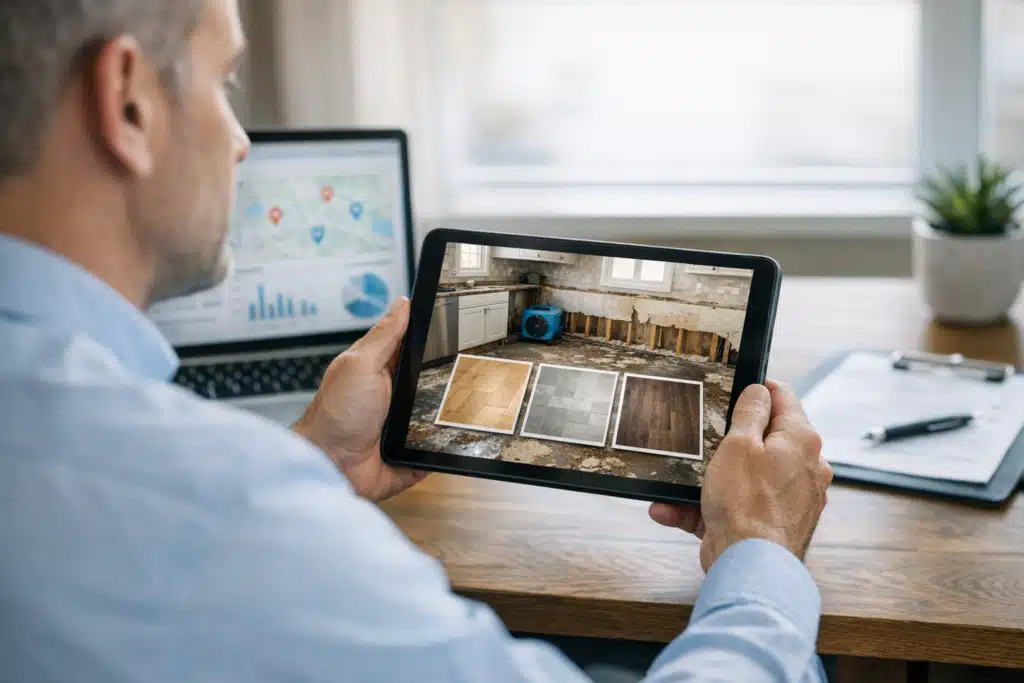
AR presentations happen on-site during initial assessments. You point your device at water-damaged drywall and show how new materials will look. Clients see flooring options, paint colors, and fixture placements in their actual space, not generic showroom photos.
The technology works by mapping physical spaces and anchoring digital elements to specific locations. When you move the device, virtual repairs stay positioned correctly relative to real damage.
Real-Time Material Selection
Property owners can compare flooring, cabinetry, and paint options instantly. Instead of holding up small samples, they see full-scale installations in their damaged rooms. This speeds decision-making from days to minutes.
Insurance adjusters get detailed visual documentation of proposed work. They see exactly where repairs will occur and what materials you’ll use. This reduces claim disputes and speeds approval processes.
Scope Visualization
AR shows the extent of hidden damage that clients can’t see. You can overlay thermal imaging data, moisture readings, and structural assessments onto visible surfaces. Clients understand why you need to remove seemingly undamaged materials.
Before-and-after comparisons become powerful selling tools. Show the current damage state, then switch to the completed restoration view. This dramatic contrast justifies your pricing and timeline.
Specific AR Tools for Restoration Contractors
Several AR platforms work specifically for construction and restoration projects. Each offers different capabilities for project presentations and client communication.
GAMMA AR for Construction Visualization
GAMMA AR lets restoration contractors import 3D models of proposed repairs and place them in damaged spaces. The app works on standard tablets and smartphones without special equipment.
You can show different material options, structural repairs, and finished spaces. Clients walk around and view proposed work from multiple angles. The app saves presentation sessions for later review.
SketchAR for Quick Design Mockups
SketchAR projects design templates onto surfaces for immediate visualization. Restoration contractors use it to show cabinet layouts, room configurations, and fixture placements.
The app includes measurement tools for accurate space assessment. You can sketch proposed layouts directly onto damaged areas and share results with clients instantly.
Augment for Material Visualization
Augment specializes in placing 3D product models in real spaces. Restoration contractors use it to show flooring, appliances, and furniture in client environments.
The platform includes catalogs from major manufacturers. You can show actual products that clients will receive, not generic representations.
Implementation Strategy for Your Restoration Business
Rolling out AR presentations requires planning and staff training. Start with high-value projects where visualization provides the most impact.
Phase 1: Equipment and Software Setup
- Choose tablets with sufficient processing power – AR apps require recent devices with good cameras and fast processors
- Download and test AR software – Try different platforms with actual damage scenarios before client meetings
- Create material libraries – Build catalogs of flooring, fixtures, and finishes you commonly install
- Practice presentation techniques – Train staff to operate AR tools smoothly during client interactions
Phase 2: Client Integration
Start AR presentations during initial damage assessments. Show clients the scope of work while explaining why certain repairs are necessary. This builds trust and justifies your recommendations.
Use AR during material selection meetings. Instead of visiting showrooms, bring options to the client’s property. They see how different choices look in their actual lighting and space conditions.
Document AR sessions for insurance submissions. Screen recordings of damage assessment and proposed repairs provide compelling evidence for claim approvals.
Phase 3: Workflow Integration
AR presentations should connect to your estimating and project management systems. When clients approve designs in AR, those specifications flow directly into work orders and material purchases.
Train project managers to reference AR presentations during construction. Workers can see the approved designs and maintain consistency with client expectations.
Measuring AR Presentation Success
Track specific metrics to measure how AR improves your presentation effectiveness and business results.
Close rates increase when clients can visualize final results. Compare project approval rates before and after implementing AR presentations. Most contractors see 20-30% improvement in initial approvals.
Decision speed accelerates dramatically. Measure the time between initial assessment and client approval. AR typically reduces this from days to hours for material selections.
Change orders decrease when expectations are clear upfront. Track mid-project modifications and client satisfaction scores. Clear visualization reduces surprises during construction.
Key Performance Indicators
- Presentation-to-approval conversion rate – Percentage of AR presentations that result in signed contracts
- Average decision timeline – Days between initial assessment and project approval
- Change order frequency – Number of modifications per project compared to traditional presentations
- Client satisfaction scores – Post-project ratings focusing on communication and expectation management
Cost-Benefit Analysis for AR Investment
AR presentation technology requires upfront investment in devices, software, and training. The return comes from faster sales cycles, fewer change orders, and higher close rates.
Initial costs include tablets, software subscriptions, and staff training time. Budget $2,000-5,000 for basic AR capability depending on team size and software choice.
Revenue impact comes from winning more projects and reducing project delays. If AR presentations help you close one additional $15,000 restoration project monthly, the technology pays for itself quickly.
Time savings add up across your entire operation. Faster client decisions mean quicker project starts. Fewer change orders reduce project management overhead. Less time spent in revision meetings means more time for revenue-generating work.
Common AR Implementation Challenges
Several obstacles can slow AR adoption in restoration businesses. Planning for these issues prevents frustrating delays.
Staff resistance to new technology requires hands-on training and gradual rollout. Start with tech-comfortable team members and expand as others see the benefits.
Client skepticism about “high-tech” approaches varies by demographic. Position AR as a tool for better communication, not flashy technology. Focus on helping them make informed decisions.
Technical limitations in damaged environments can interfere with AR tracking. Poor lighting, debris, and unstable surfaces affect app performance. Have backup presentation methods ready.
Future Applications in Restoration Marketing
AR capabilities continue expanding beyond basic visualization. New applications will create additional competitive advantages for early adopters.
Remote assessments using AR will let adjusters and clients review damage without site visits. This speeds claim processing and reduces travel costs for all parties.
Progress documentation through AR creates compelling before-during-after sequences. These visual stories become powerful marketing content for future client presentations and online marketing.
Training applications will help new technicians learn repair techniques faster. AR overlays can show proper procedures directly on work surfaces.
Augmented reality transforms how restoration contractors present projects to clients and insurance adjusters. The technology reduces decision delays, increases close rates, and minimizes change orders. Start with basic visualization tools and expand capabilities as your team gains experience.
Ready to implement AR presentations in your restoration business? The Restoration Marketers helps contractors adopt new technologies that drive more leads and higher conversion rates. Contact us at 123-456-7890 to discuss AR integration strategies for your specific market and client base.
Sources
- National Institute of Standards and Technology – Construction Industry Technology Impact
- U.S. Census Bureau – Construction Statistics
- Institute of Inspection, Cleaning and Restoration Certification – Industry Standards